3D Globe Map
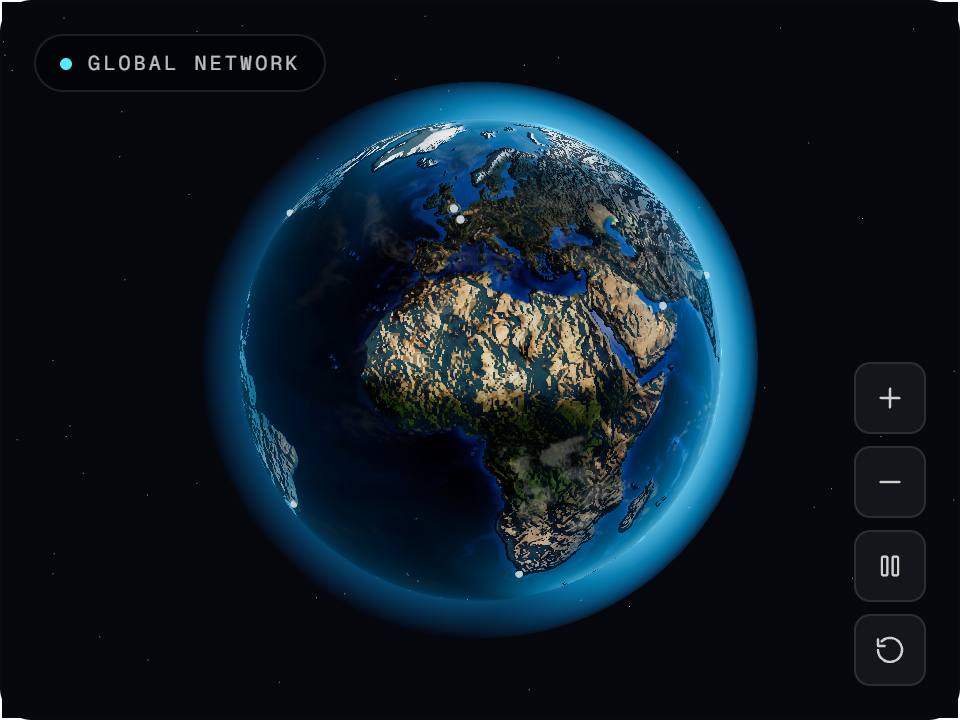
3dA photographic Earth you can grab, spin and zoom, with real latitude/longitude markers you can hover, select and focus — wrapped in a quiet midnight interface.
How it works
3 stepsPreview
See the authored component running live.
Customize
Open the playground to tune its controls.
Ship
Copy the TypeScript source and install what it needs.
Runtime package
Install the requirements
These are the real runtime dependencies declared for this renderer. The product itself is not presented as a package until a published package exists.
npm install three^0.185.1 @react-three/fiber^9.7.0Product contract
- Renderer
- threejs
- Version
- Not published
- Preview
- live
- Controls
- 0 authored controls
- Source
- 3d-globe-map
Usage
Use the authored product, not a screenshot
This product is rendered as a live Three.js scene. The preview and exported source are driven by the same repository definition and renderer contract.
Stored product brief
A premium 3D globe: NASA Blue Marble day imagery blended with Black Marble city lights across a soft terminator, ocean specular through a water mask, terrain relief from a topology bump, drifting clouds, and a sun-weighted atmosphere halo. Ten real cities sit as markers with soft pulses, hoverable with a tooltip, selectable with a smooth focus flight that brings them to face the camera. Drag rotates with inertia, wheel and pinch zoom, and the chrome is minimal: a status chip, a small control cluster and a selected-location card.
Source integrity
Traceable back to the registry
Registry source
3d-globe-map
Public slug
3d-globe-map
Renderer
threejs
Published version
Not published
Playground
Code, API, and integration
import { Canvas, useFrame } from "@react-three/fiber";
import { useRef } from "react";
import type { Group } from "three";

// 3D Globe Map — SceneUI 3D export (React Three Fiber)
function Rig({ children }: { children: React.ReactNode }) {
  const ref = useRef<Group>(null);
  useFrame((_, delta) => {
    if (ref.current) ref.current.rotation.y += delta * 0.45 * 1;
  });
  return <group ref={ref} scale={1.000}>{children}</group>;
}

export function 3DGlobeMap() {
  return (
    <Canvas dpr={[1, 1.5]} camera={{ position: [0, 0, 4], fov: 45 }} style={{ background: "#05070d" }}>
      <ambientLight intensity={0.35} />
      <pointLight position={[3, 3, 3]} intensity={7.3} color="#4cc2ff" />
      <pointLight position={[-3, -2, -2]} intensity={4.1} color="#f5b85c" />
      <Rig>
        {/* Paste the matching JSX for this design from the playground renderer,
            or open it in the editor and copy the live scene. */}
      </Rig>
    </Canvas>
  );
}
Related